
TAYAL TRADERS · Android app
All Video Downloader & Player
A downloader, a browser and an offline player in one Android app. Open a supported site in the built-in browser or paste a link, pick the quality you want from what the source offers, and keep the file in a library you can sort, play and share without a connection.
Functionality
What the app does
Six things, each of them described on the current Google Play listing. Nothing here is a plan or a promise for a future release.
A download engine that works in parallel
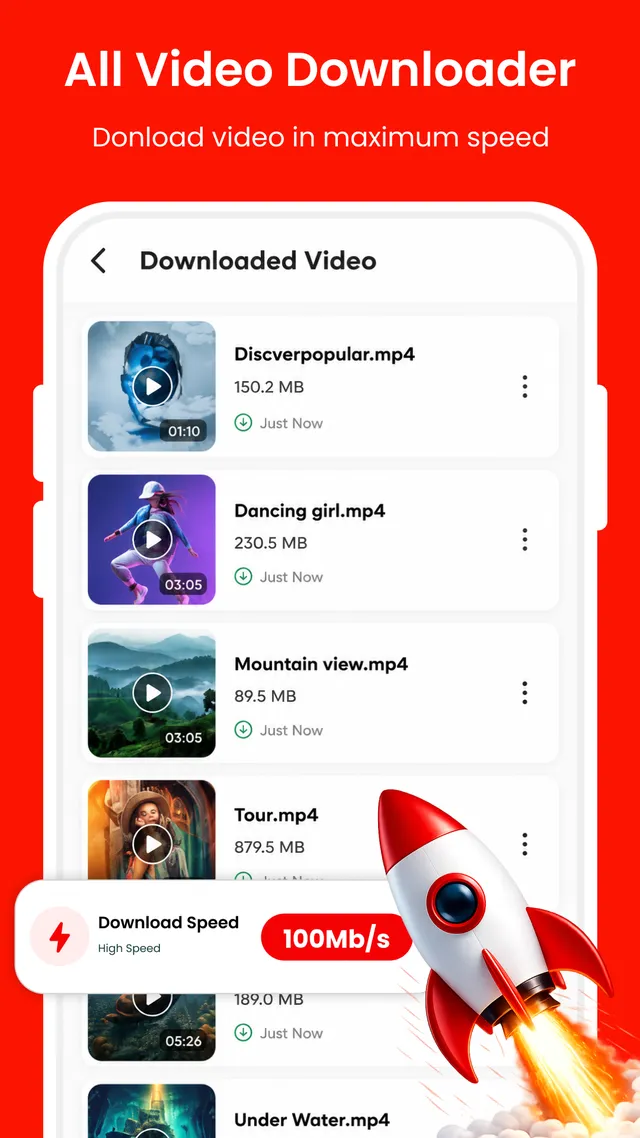
The engine opens several connections to the same file instead of one, so the parts arrive together rather than in a queue. In the app this is marketed as a speed boost of up to 100 Mb/s. Treat that as the ceiling the engine is built for, not a figure your connection will always reach — real throughput follows your network and the source server.
Browser with proxy support
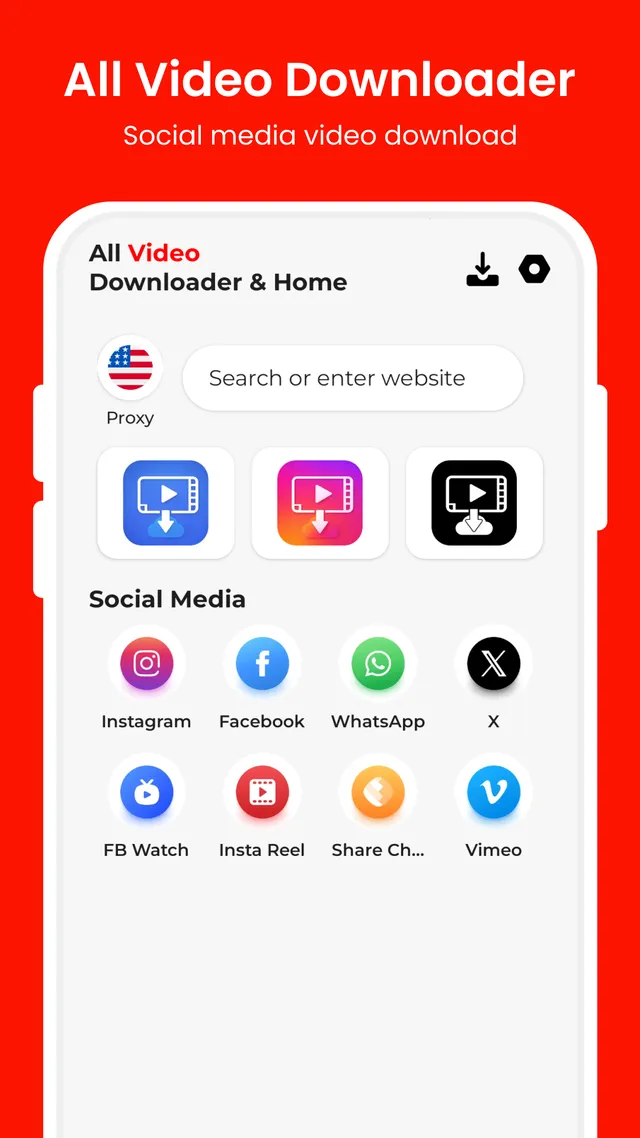
Search for a page or type a full web address and stay inside the app. A proxy option is built into the browser, so a site that your network handles awkwardly can still be reached and read.
One-tap shortcuts
A row of shortcuts on the home screen opens popular social platforms, short-video apps, reels and status posts directly, which saves typing an address every time you return to the same place.
Paste a link, then choose
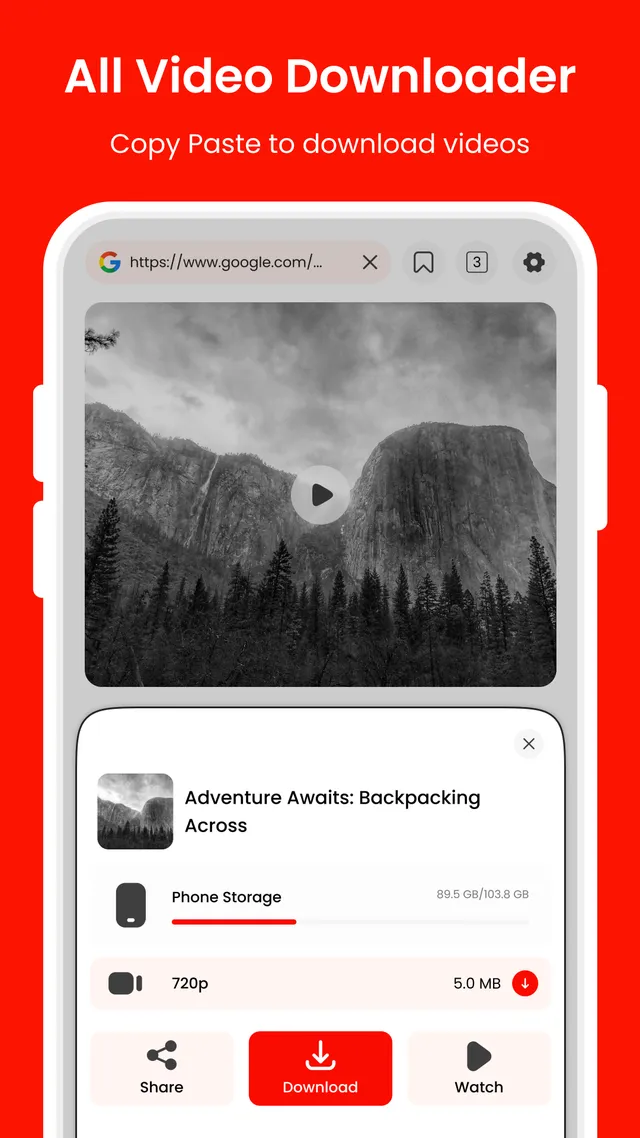
Copy an address, drop it into the app and wait for the options to appear. You pick a quality such as 720p or 1080p from what the source actually offers, and the file size is shown beside it before anything is saved.
Full HD player
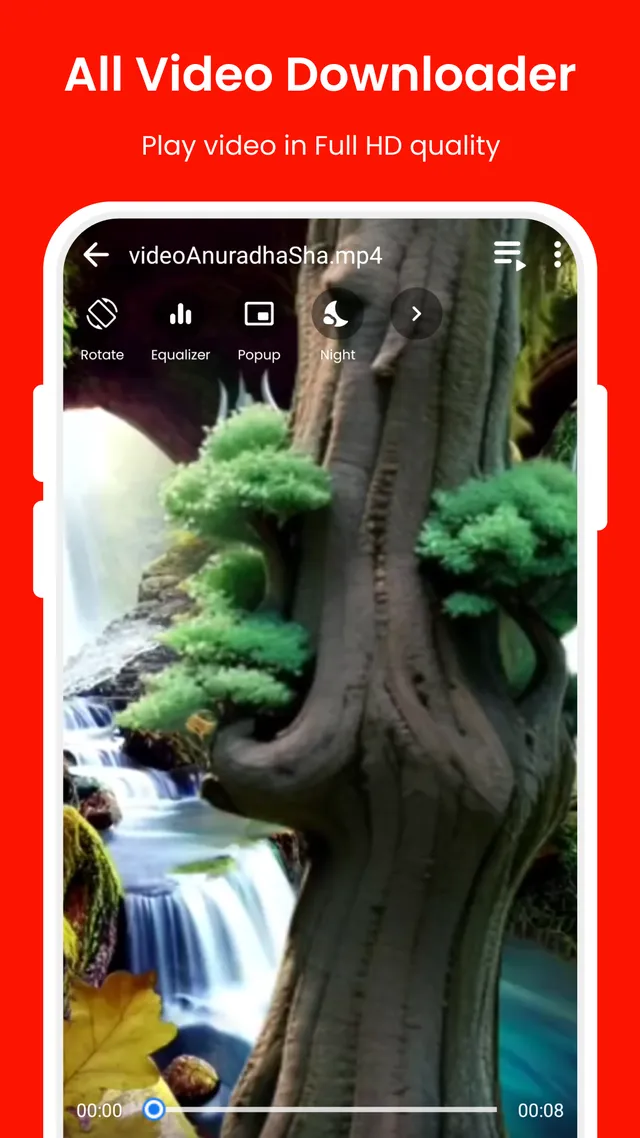
Saved files play in Full HD without leaving the app. Night Mode takes the glare off a dark room, the equalizer shapes the sound, the popup player keeps a video on screen while you do something else, and rotation and brightness respond to a gesture.
Media manager
Everything you have saved sits in one library. Sort it by folder, check how much storage the files are using, send one on through another app, and play any of it offline.
Screen by screen
What you are looking at
Six screens from the Google Play listing, with a note on what each one is doing.
Start from home
The app opens on the search bar. Type a term or a full address, turn the proxy on if your network needs it, and use the shortcut row underneath to go straight to a site you visit often.
Download at speed
Each item in the list carries its file name and size while the parallel engine works through it. The speed marker is the in-app figure of up to 100 Mb/s; what you see depends on the connection and the server.
Pick a quality
When a file is found in the browser, a sheet slides over the page. It shows the storage in use, the qualities on offer such as 720p, and the choice of sharing the link, downloading it or carrying on watching.
Play in Full HD
The player takes the whole screen. Along the controls sit rotation, the equalizer, the popup player and Night Mode, and a slide near the edge of the screen changes brightness while the video keeps running.
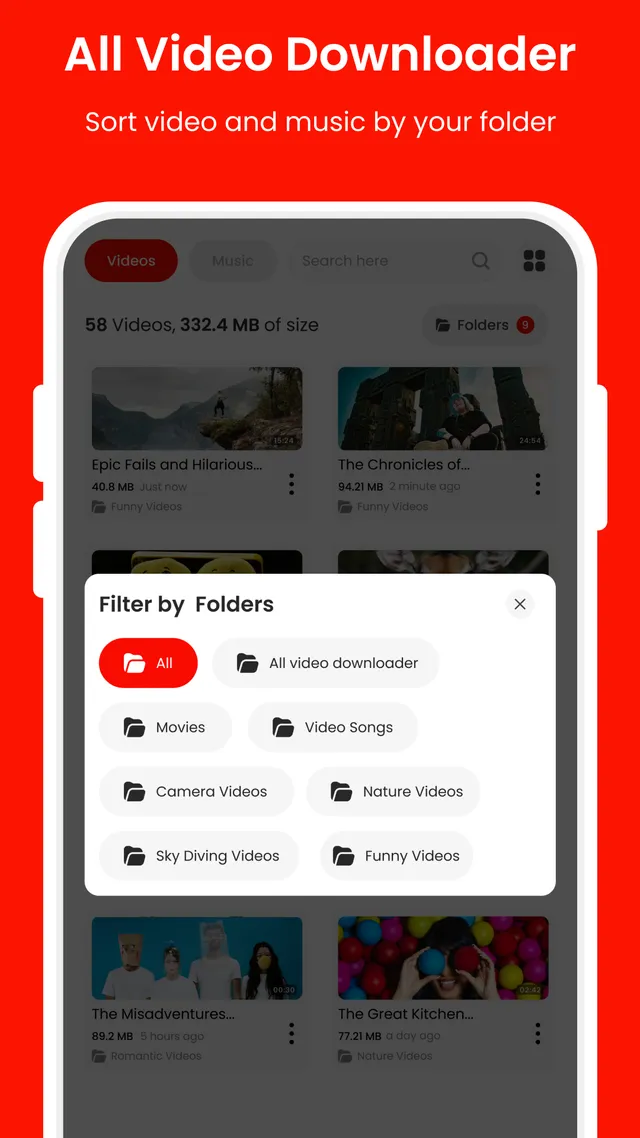
Filter by folder
The Filter by Folders sheet narrows the library to one folder at a time. That matters once files from several sites are sitting in different places on the device.
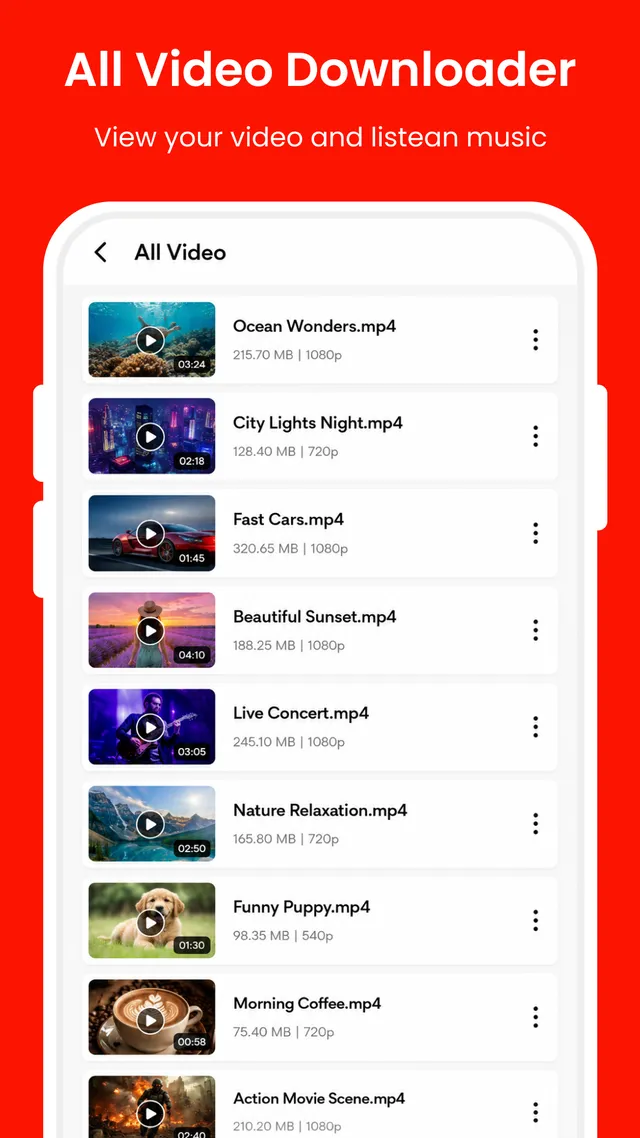
Browse your library
The All Video list gives every file its duration, size and resolution, so two saves of the same clip can be told apart before you open one, share it or clear it out.
In practice
From an open page to a file you own
-
Reach the video
Open the source in the built-in browser, tap one of the shortcuts, or paste an address you have copied elsewhere. Check first that the material is yours to save.
-
Read the sheet before you commit
The download sheet lists the qualities the source is offering and the size of each one. Pick the version that suits the storage you have left, then start it.
-
Keep it, sort it, watch it
The finished file lands in the library. Sort it into a folder, open it in the Full HD player with no connection at all, or pass it on to someone through another app.
Permissions
What the app asks Android for, and why
A downloader needs two ordinary things from the operating system. Here they are in plain language, with no attempt to make the list sound shorter than it is.
- Storage access. A download has to be written somewhere. Storage access lets the app save a finished file to your device and read it back afterwards, which is what the library, the folder sorting and offline playback all depend on. The files stay on the device.
- Network access. Pages in the built-in browser, the proxy option, and the file itself all travel over the network. The same access is what reports progress and the size of a download while it runs.
- Nothing is collected in the background. The Google Play data safety section for this app declares that no data is collected, that no data is shared with third parties, and that data is encrypted in transit.
The Play listing is the list that counts. We are not reproducing a full permission table here, because a permission set can change from one release to the next and a copy on a website goes stale quietly. The permissions in force for the build you have installed are shown on the Google Play listing and in your own device settings, where you can review or withdraw them at any time.
Responsible use
What this app is not, and what rests with you
TAYAL TRADERS is not affiliated with, sponsored by or endorsed by any social media site, video platform or network. Where a platform is named in the app, the name is only there to describe where a shortcut leads.
A tool that can save a file does not decide whether you are allowed to. That decision is yours, and the consequences of getting it wrong are yours as well. Availability is not ours to guarantee either: what a source site makes available can change at any time, and when it does, a file that saved yesterday may not save today.
Read the disclaimer and the terms and conditions before you install.
YouTube is not supported
Downloading from YouTube is not supported by All Video Downloader & Player and is prohibited. That follows Google Play policy and YouTube's own terms, and it is not a feature that can be added on request.
- Save only content you own, or content you have permission from the rights holder to use.
- Respect the terms of the site a file came from.
- Do not re-upload or pass off someone else's work as your own.
- You are responsible for what you download and for anything you re-share afterwards.
Able to save a file ≠ Allowed to save it ≠ Free to republish it
App details
The listing, in short
- Platform
- Android, Google Play only
- Package name
- com.tayal.videodownloader.vidmate.alldownloader
- Price
- Free to install
- Monetisation
- Contains ads
- Category
- Video Players & Editors
- Content rating
- Everyone
- Last updated
- Aug 22, 2026
- Developer
- TAYAL TRADERS
- Support email
- contact@tayaltraders.shop
Where these details come from
Every line above is taken from the app's Google Play listing. The listing is the authority: if a version, a date or a rating there differs from what you see here, the listing is right and this page is behind. Tell us and we will correct it — contact and support.
Questions
Asked and answered
Can the app download videos from YouTube?
No. Downloading from YouTube is not supported and is prohibited, in line with Google Play policy and YouTube's terms. It is not a feature that can be added.
Is All Video Downloader & Player free to use?
The app is free to install from Google Play. It is funded by advertising, which is why the listing shows that it contains ads.
Is TAYAL TRADERS connected to the platforms the app can browse?
No. TAYAL TRADERS is not affiliated with, sponsored by or endorsed by any social media site, video platform or network. A platform name is used only to describe where a shortcut points.
Why can a video sometimes not be saved?
What a source site makes available can change at any time. A page can change, a format can be withheld, or the terms of the source may not permit saving. Availability is not guaranteed.
What does the built-in player support?
It plays saved files in Full HD and includes Night Mode, a built-in equalizer, a popup player, screen-rotation control and brightness gestures.
What data does the app collect?
As declared in the Google Play data safety section: no data is collected, no data is shared with third parties, and data is encrypted in transit.
Install it and try the browser first
All Video Downloader & Player is free to install from Google Play. If something behaves oddly, write to us with your device model and Android version and we will look at it.